 PokePath TD
Pokémon tower defense · in the browser
Free Pokémon Tower Defense GamePokéPath TD
Free browser tower defense · nine routes · latest release v1.7.3
- 1 Choose a routeRoute
- 2 Place a unitPlace
- 3 Press Space or Next WaveNext wave
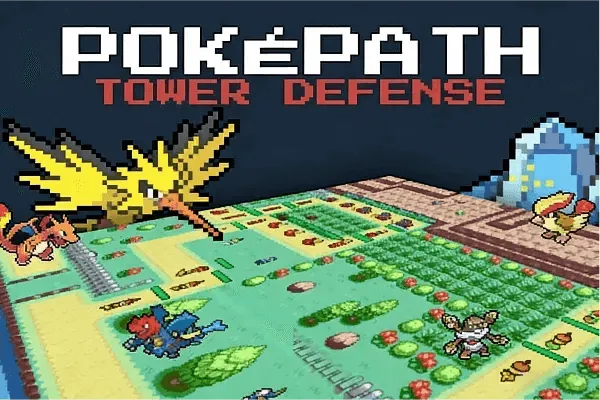
Free · no install
Free to play in this frame · nothing to install · no account
Loading PokéPath TD…
First load takes a few seconds. Once it is cached, pressing Play again is much faster.
Still loading. A first, uncached load can take up to about 20 seconds. If the frame stays blank after that, here is the unblocked fix.
On a phone, turn the screen sideways and tap Full screen for more room.
- First time hereHow to playRoutes, coins, mid-wave evolution and the full control list.
- Frame stays blankUnblocked fixWhat actually blocks the game area on school and office networks.
- Want it off the browserDesktop buildThe Mac and PC builds, and when the browser version is enough.
Free · in your browser · mouse or trackpad · no install, no account
Read this first
This is not the 2011 Pokémon Tower Defense
PokéPath TD is a newer browser tower defense game (released December 2025). The build in the frame above is the itch.io player, and the author notes on itch.io that this browser player can run behind the downloadable desktop build — take the desktop version if you want the newest build. The original Flash-era PTD 1–3 are separate games that now usually need old archives or an emulator to run.
- Mid-wave evolution. You level up and evolve the units already standing on the board instead of only buying and selling towers.
- Progress that carries. Coins, unlocks and team growth move from one run to the next, so a short session still counts.
- Nine routes in one frame. No install and no account — the full guide covers coins, controls and save backups, and if the game area stays blank on a school or office network, start here.
What is PokéPath TD
This is an unofficial fan site. PokéPath TD is made by Khydra and published on itch.io at khydra98.itch.io/pokepath; we host no game files of our own.
What you play
PokéPath TD is a free Pokémon tower defense game that runs entirely in your browser. You pick one of nine routes, place a team of units along the path, and hold the line against waves of enemies walking toward your base.
Evolve units mid-wave
The twist is what happens between waves: instead of only placing and removing towers, you spend the coins you earned during the run to level up and evolve the units you already have. That means a route that starts badly can still be turned around mid-game.
Progress that carries over
Progress is persistent. Coins, unlocks and team growth carry across runs, so a ten-minute session still moves your account forward instead of throwing everything away when you lose. If you have played other Pokémon tower defense games, the rhythm will feel familiar — place, upgrade, survive, repeat — but the mid-wave evolution step is what makes each route play differently.
How to play this Pokémon tower defense game
Start by choosing a route. Each one has its own layout, enemy mix and boss, so the team that carries you through an early route is not automatically the right team for a later one. Read what the route throws at you before you spend anything.
Then place your units. Type matchups matter: a unit that lines up well against the enemies on that route will do far more work than a stronger unit that has no advantage. Build your line around the path corners where enemies stay in range the longest, and leave room to add units later in the run.
Once the waves start, watch your coin count. Every coin is a choice between adding a new unit and pushing an existing one up a level. Early on, a second cheap unit usually beats an expensive upgrade; later, when the board is full, upgrading the units you already trust is the only way to keep up with wave strength.
Use Auto Mode when you want to farm rather than think. It handles wave starts and lets progression tick along while you do something else, and the speed controls shorten the wait when you are actively watching.
Pokémon tower defense controls and hotkeys
- Place a unit — click a valid tile, or press 0–9 to drop the unit in that quick slot.
- Upgrade a unit — select it, then click upgrade.
- Start the next wave — click Next Wave or press Space.
- Auto Mode — turn it on to start waves automatically whenever the game allows it.
- Speed up — use the speed control to make a run move faster.
- Pause and menu — press Esc to open the menu, which also pauses the game.
- Quick keys — Q opens your profile, W toggles the map, E opens a box, S opens the shop, and X shows or hides attack ranges.
Which route should I start with?
Start on the route you can nearly clear, and stay there until you can finish it without losing health. That run pays you back in unlocks instead of only coins, so it is a better first route than the easiest one you already beat.
- Learn one route before you farm it. Every route teaches a different lesson about placement and type matchups. Staying on one until you can clear it without losing health is faster progress than jumping around.
- Spend coins, do not hoard them. Coins do nothing sitting in the bank. The usual mistake in the first few runs is saving for a big unit while the board slowly collapses.
- Upgrade the unit you already trust. Levelling a unit you have watched clear three waves is safer than buying an untested one in the middle of a bad wave.
- Use the attack range overlay. Press X and look at what your units actually cover. Gaps on the path are the most common reason a run that felt fine suddenly leaks.
- Export your save before a long session. A browser save can be lost to cleared site data or a private window. Exporting takes a second and protects hours of progress.
Pokémon tower defense routes: what the nine maps change
All nine routes end in the same place — a base you cannot let a single enemy reach — but they do not ask the same thing of you. What changes from route to route is the shape of the path, the enemies that walk it and the boss waiting at the end.
A long curve gives your units a second pass at the same enemy. A short straight stretch gives them one window and nothing more. Which one you are standing on decides whether coverage matters more than raw damage for that run. Enemy mix works the same way: a line built to punish one kind of unit can walk through the first half of a route and stall completely on the second.
So before you spend on a new route, walk the path once and ask where enemies spend the most time inside your range. Place there first, keep a coin buffer for the middle of the run, and only then decide what to buy. Players who do that clear routes a level or two earlier than players who spend everything in the first wave.
How does Auto Mode work?
Auto Mode does one job well: it starts waves for you whenever the game allows it, so a run keeps moving while you are away from the keyboard. It does not choose your units and it does not spend your coins — placement and upgrades are still your decisions, which is why idle farming works best on a route you have already solved.
The loop that works is simple. Clear a route by hand once, note where the line held and where it leaked, then turn Auto Mode on and let the coins pile up while you do something else. Use the speed control when you are watching and want the run to move faster.
Two habits keep this safe. Export your save before you leave a long run unattended, because a browser save is not the same thing as a backup. And keep an eye on the board when you come back — a run that farms fine for twenty waves can still be lost in one bad stretch if your line was only barely holding.
How do saves and progression work between runs?
Progression in PokéPath TD runs on two levels, and your saves are what carry it from one visit to the next. Inside a run, the coins you earn go into levelling and evolving the units already on the board, so a route that starts badly can still be rescued later. Across runs, unlocks, coins and team growth persist, which means nothing you earn disappears when a route ends or goes wrong.
That split is the reason the game rewards pushing a route you can almost clear instead of farming the easiest one you own. A route you can nearly beat is the one that pays you back in progress; a route you already walk through gives coins and nothing else.
Saves live in your browser. The export and import buttons create a file you can keep, and that file is the only real protection against clearing site data, switching browsers or playing in a private window. If you play for long sessions, export once at the end of each one and keep the file somewhere you will find it again.
Team building and enemy counters in Pokémon tower defense
Two things decide a lineup: type coverage and where the units stand. Type matchups do the heavy lifting — the same unit can feel useless on one route and like the best buy in the game on the next, because what walks the path is different. Before you add a new unit, check what your current line cannot hurt and buy for that gap, not for the biggest number in the shop.
Placement is the other half. Corners and bends give a single unit more time on the same enemy, so a cheap unit in the right spot often outdamages an expensive one in the wrong spot. Use the attack range overlay before you commit: if two units cover the same stretch and nothing covers the last third of the path, you have your answer.
Finally, resist rebuilding the whole line every wave. A stable core you understand, upgraded early and supported late, beats a board of units bought in a panic.
Why this Pokémon tower defense game keeps players coming back
The loop is short enough to fit into a break and deep enough that the next route always needs a different answer. Persistent progression means the time you spend is never wasted, and Auto Mode means the game keeps working for you when you are not at the keyboard. Nine routes, mid-wave evolution, and a save system you control — that is the whole pitch, and it is free to try right now.
Online play, the browser build and the 2011 original
Can I play Pokémon Tower Defense online for free?
Yes. Press Play on this page and the first route starts inside the browser box — no install, no account, no payment. The whole Pokémon Tower Defense game runs in the page, and your save stays in the browser between visits.
Is this the same as the 2011 Pokémon Tower Defense?
No. PokéPath TD is a new game with its own nine routes, evolution timing and save system. The 2011 original was a Flash title that no longer runs in browsers, which is why the desktop build exists — it is the closest thing here to a standalone copy you keep.
Do I need a fast computer to play in the browser?
No. The game is small enough for a few-year-old laptop or a Chromebook; an up-to-date browser and a single tab matter more than the hardware. On a phone, turn the screen sideways and use fullscreen.
Can I play Pokémon Tower Defense 2 or Pokémon Tower Defense online here?
This page plays PokéPath TD, a fan-made game that runs in the browser: no install, no account, and the same save between visits. This site does not host Pokémon Tower Defense 2 or any other sequel. The unblocked page covers what to do if the frame will not load.
Keep going
Four pages that answer the next question
Also in the browser
More Pokémon browser games
PokéPath TD is the game this site is built around, but it is not the only one here. Nine Pokémon browser games run on this site — turn-based battles, an idle clicker, Scratch classics, a bracket simulator, a roguelike and a survivor game — each one embedded from its own creator, free to start, with no download and no account.
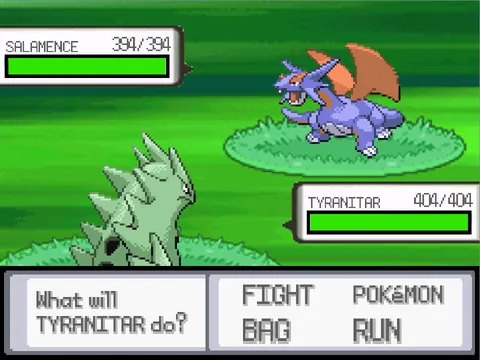 Pokémon Battleturn-based battles
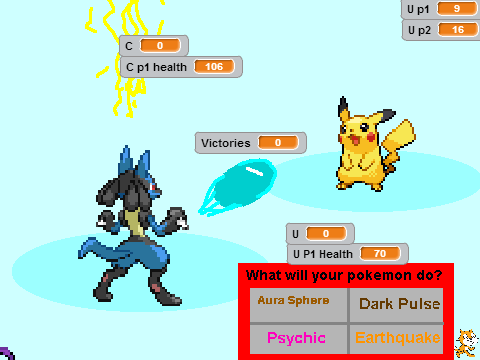 Battle Test Scratch2013 Scratch prototype
 Pokémon Clickeridle clicker
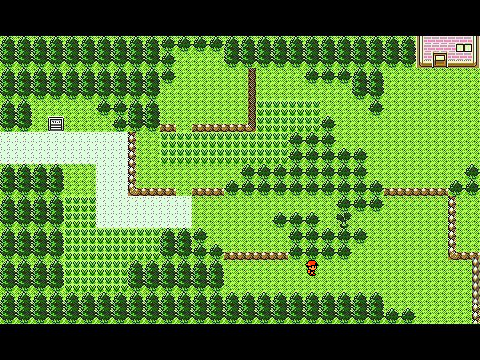 Pokémon ScratchScratch classic
 Pokémon Tournamentbracket simulator
 Pokémon GO! v0.52016 Scratch demo
 Pokplunderturn-based roguelike
 PokeSurvivorsurvivor co-op
Pokémon Roguelikeplay free in browser
Not sure where to start? The full list of free Pokémon games groups them by type and explains which ones fit a two-minute break and which want a longer session.
Straight answers
Frequently asked questions
Is Pokémon Tower Defense free to play?
Yes. PokéPath TD is a free Pokémon tower defense game that runs in the browser. There is no account, no download and no payment step — press Play and the first route starts inside the page.
Is this the official PokéPath TD site?
No. This is a third-party fan site with no connection to Khydra or to the game's official site. PokéPath TD is developed by Khydra and published on itch.io (khydra98.itch.io/pokepath). The game in this page is the itch.io browser build embedded from that release — we host no game files and we do not make the game ourselves.
Is the browser version the newest build?
Not always. Khydra notes on the itch.io page that the itch.io browser player is behind the downloadable desktop version (currently 1.7.3), and points players who want the newest build to the download. The build embedded here is the same itch.io release, so it is exactly as current as the itch.io player — never older, never newer.
Can I play PokéPath TD on my phone?
It runs in a mobile browser, but the interface is built around mouse clicks and keyboard shortcuts, so a desktop or laptop is the better way to play. On a phone, turn the screen sideways and use fullscreen for more room.
Do I need to download anything?
No. Press Play and the game loads in the same box on the page. Nothing is installed on your device.
Can I play in fullscreen?
Yes — use the Fullscreen button under the game area. Press Esc to leave fullscreen and get back to the page.
How do I save my progress?
Progress is stored in your browser between runs. The game also offers export and import for saves, which is the safe way to keep a backup or move to another browser. Clearing site data will wipe a save that was never exported.
What does Auto Mode do?
Auto Mode starts waves for you and keeps a run going while you are away from the keyboard, which is how most players farm coins. Speed controls sit next to it when you want a run to move faster.
The game is lagging. What can I do?
Close other tabs, switch the browser to fullscreen and lower the game speed. If it still stutters on a long run, export your save and reload the page before continuing.
How do I report a bug or ask for a feature?
Use the contact page and tell us which route you were on, what you clicked and what happened. Screenshots of the board help more than a description alone.
Can I play Pokémon Tower Defense unblocked?
Sometimes — it depends on what is actually blocked. The game is an itch.io frame inside this page, so an ad blocker or privacy extension that blocks third-party frames will leave the game area empty while the rest of the page loads fine. If the page itself does not open, the whole site is blocked on that network and no browser setting fixes it. The unblocked page below walks through both cases, including how to keep your save when you switch devices.
Longer answers live on two pages: the PokéPath TD guide (coins, mid-wave evolution, controls, save backups) and Pokémon Tower Defense unblocked (why the game frame sometimes stays empty and what actually fixes it).
Player talk
No comments yet. Tell us your best route, your highest wave, or ask about a route you are stuck on.