 PokePath TD
Pokemon Tournament · free in the browser
Pokemon Tournament
Pick entrants · automatic single-elimination brackets
- 1 Choose a routeRoute
- 2 Place a unitPlace
- 3 Press Space or Next WaveNext wave
Free · no install
Free to play in this frame · nothing to install · no account
Loading Pokemon Tournament…
First load takes a few seconds. Once it is cached, pressing Play again is much faster.
Still loading. A first, uncached load can take up to about 20 seconds. If the frame stays blank after that, here is the unblocked fix.
On a phone, turn the screen sideways and tap Full screen for more room.
Pokémon Tower Defense gameHow to playFrame stays blank?
Free · in your browser · mouse or trackpad · no install, no account
What is Pokemon Tournament
Pokemon Tournament is a bracket simulator. You choose which Pokémon enter, the bracket is built, and then the matches resolve on their own — no manual scoring, no second controller required. You watch the rounds and see who survives.
There is no tower to defend and nothing to click in the middle of a fight. The interesting decision happens before the first match: who goes in. Because the format is single elimination, one unlucky matchup removes an entrant completely, and picking a balanced field is what makes the bracket worth watching.
How to play Pokemon Tournament
Press Play and wait for the embedded project to load. Select the entrants you want in the tournament — the field is what determines how the bracket looks. Start it, and then watch. Each match runs automatically and the winner advances until a single champion remains.
The whole run takes minutes, not hours. That makes it good for repeated short sessions: change one entrant, run it again, see whether the result changes. If you are using it to demonstrate how brackets work rather than to play, a field of eight is the easiest size to follow on screen — small enough to read at a glance, large enough to need real rounds.
Pokemon Tournament controls
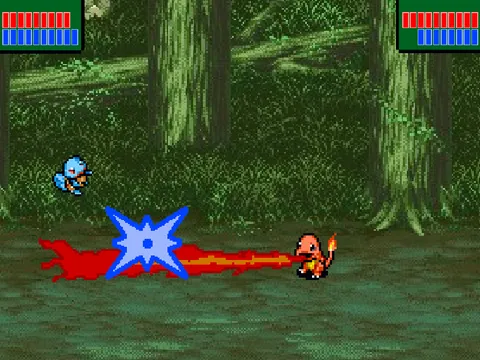
The bracket itself needs almost no input: entrants are picked with the mouse or a touch screen, and the matches then play out on their own. The battle screen also supports two players on one keyboard, so if you want to take over a match, click once inside the frame to give it focus and follow the key prompts the project shows on screen. On a phone, the on-screen controls replace the keyboard entirely.
What it is good for
Short, replayable sessions. A full bracket resolves in a couple of minutes, which makes this one of the quickest games to play in a short break.
Seeing how brackets work. Single elimination is simple in theory and surprisingly fiddly in practice — seed order, byes and the way one upset reshuffles the rest of the tree are all visible here at a glance.
Comparing entrants. Because the field is yours to pick, you can set up the same Pokémon repeatedly and see how often the result repeats. That is a much quicker way to learn a matchup than reading a stat table.
Troubleshooting
Blank frame? An extension is blocking third-party frames — allow them for this page or switch browsers. Keys doing nothing? Click inside the frame to give it focus first. Choppy on mobile? Close other tabs and keep the phone out of low-power mode; Scratch projects run more scripts than they appear to.
Nothing here saves. Every reload is a fresh bracket, which is the intended behaviour rather than a bug.
Straight answers
Frequently asked questions
Is this an official Pokémon game?
No. It is a fan-made bracket simulator embedded from a community Scratch project. Not affiliated with Nintendo, Creatures or GAME FREAK.
Why is the embedded frame blank?
An extension or the browser is blocking third-party frames. Allow frames for this page, or try another browser. Pressing Play again after the blocker is off usually starts it.
Controls are unresponsive. What can I do?
Click once inside the frame to give it focus, then use the keys. If you are on a phone, use the on-screen controls — the two-player key layout assumes a keyboard.
Can I change the tournament rules?
No. The bracket is a fixed single-elimination format. What you choose is the entrants, and that is what changes the outcome.
Is progress saved?
No. Each tournament runs from start to finish in one session. Reloading the page clears the bracket and starts over.
Longer answers live on two pages: the PokéPath TD guide (coins, mid-wave evolution, controls, save backups) and Pokémon Tower Defense unblocked (why the game frame sometimes stays empty and what actually fixes it).
Player talk
No comments yet. Tell us your best route, your highest wave, or ask about a route you are stuck on.