 PokePath TD
Pokémon tower defense · free in the browser
Pokémon Tower Defense Unblocked — Play PokéPath TD
What actually blocks the game, and what to do about it.
- 1 Choose a routeRoute
- 2 Place a unitPlace
- 3 Press Space or Next WaveNext wave
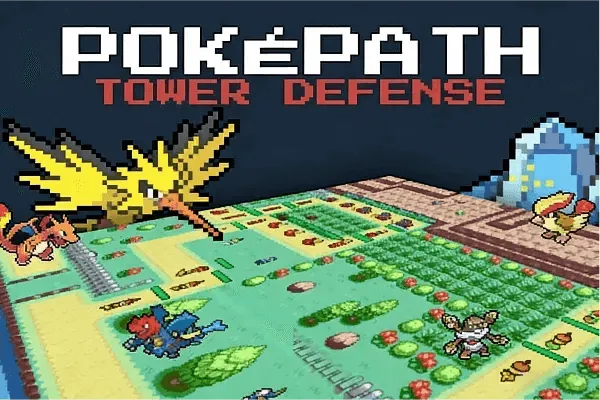
Free · no install
Free to play in this frame · nothing to install · no account
Loading PokéPath TD…
First load takes a few seconds. Once it is cached, pressing Play again is much faster.
Still loading. A first, uncached load can take up to about 20 seconds. If the frame stays blank after that, here is the unblocked fix.
On a phone, turn the screen sideways and tap Full screen for more room.
Pokémon Tower Defense gameHow to playFrame stays blank?
Free · in your browser · mouse or trackpad · no install, no account
What "unblocked" means for this game
Pokémon Tower Defense here is PokéPath TD, and the first thing worth knowing is that nothing needs to be installed, unlocked or downloaded to play it. The game runs inside the frame at the top of this page — and that frame comes from itch.io, the platform the game is published on.
That is also why it sometimes does not load. There are two separate things that can be blocked: this page, and the itch.io frame inside it. What you do about it depends on which one failed.
Work out which part is blocked
The page loads, the game area stays empty. The frame was blocked. This is by far the most common case, and it is almost always a browser extension — an ad blocker or a privacy tool set to block third-party frames. Allow frames for this site, or turn the blocker off for one reload, and press Play again.
The page does not load at all. Then the whole site is blocked on that network, and no amount of clearing your cache will change it. Try a different connection — mobile data instead of school or office Wi-Fi is the usual fix.
The page loads, the frame stays blank and nothing else is wrong. Reload once. Embedded game hosts occasionally time out on the first request; the second usually works.
If a school or work network is blocking it
Networks that deliberately filter games block them by domain, and there is no honest way around that from our side. If you are on a managed network, respect the rule and play somewhere else — the game is not going anywhere, and it saves your progress.
What you can do: play at home, or on a phone using mobile data. The game does not need an account, so there is nothing to sign up for once you have a connection that allows it.
Playing without the embedded frame
The developer also ships a desktop build — Windows and Linux at version 1.7.3, plus a Mac build at version 1.4.4 listed on the itch.io page — for players who want the game off the browser entirely. If embedded frames are the specific thing failing on your device, that is the cleanest way around it. Where the build comes from, and how to carry your save over is on the next page.
Playing Pokémon Tower Defense on a phone
It works, but the interface was built for a mouse and keyboard, so turn the phone sideways and use Fullscreen. The PokéPath TD on mobile page covers what works on iPhone, iPad and Android, and where touch controls fall short.
Switching devices to get around a block
Saves live in your browser, so a different device starts with a fresh save unless you use Export and Import in the game menu. The PokéPath TD guide has the full save and export steps.
Straight answers
Frequently asked questions
Why does the game area stay empty?
Almost always a browser extension blocking the itch.io frame — an ad blocker, or a privacy tool set to block third-party frames. Allow frames for this site, reload, and press Play again.
Is Pokémon Tower Defense unblocked at school or work?
Only if the network allows it. Filters that block games work by domain, and there is no honest way around that from our side — play at home or on mobile data instead.
Do I need to download anything to play here?
No. The game loads in the frame at the top of this page. If frames are the thing failing on your device, the desktop build is the alternative.
Can I play it on a phone?
It runs, but the interface is built for a mouse and keyboard. Turn the screen sideways and use Fullscreen for more room; keyboard shortcuts will not apply.
Keep going