 PokePath TD
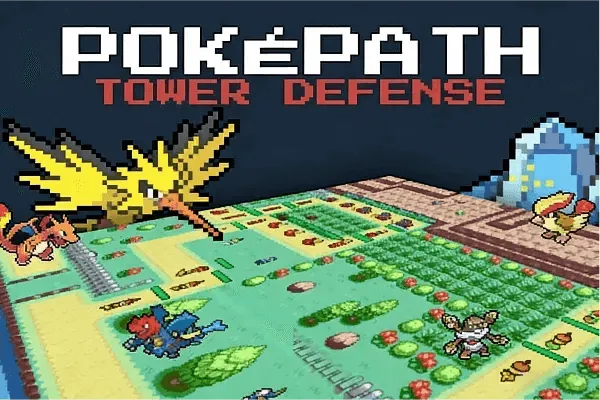
Pokémon tower defense · free in the browser
Pokémon Tower Defense Download — Desktop and Mac Builds
What a download actually gets you, and when the browser version is enough.
- 1 Choose a routeRoute
- 2 Place a unitPlace
- 3 Press Space or Next WaveNext wave
Free · no install
Free to play in this frame · nothing to install · no account
Loading PokéPath TD…
First load takes a few seconds. Once it is cached, pressing Play again is much faster.
Still loading. A first, uncached load can take up to about 20 seconds. If the frame stays blank after that, here is the unblocked fix.
On a phone, turn the screen sideways and tap Full screen for more room.
Pokémon Tower Defense gameHow to playFrame stays blank?
Free · in your browser · mouse or trackpad · no install, no account
The short answer: nothing has to be downloaded
PokéPath TD is a browser game. Press Play at the top of this page and the first route starts inside the frame — no installer, no account, no download step. That is the version most players use, and it is the one we embed.
So why do people search for a Pokémon Tower Defense download at all? Because "tower defense" and "download" go together in a lot of older guides, and because the browser version has one real weak point: it runs inside a frame served by itch.io, and a frame is the first thing extensions and school networks block.
What the desktop build actually is
The developer of PokéPath TD also ships a desktop build of the same game. It runs locally instead of inside a browser frame, which is what matters when:
- an ad blocker or a corporate policy keeps emptying the game frame;
- a laptop with integrated graphics drops frames during the big late waves;
- you want to keep playing somewhere without a steady connection.
The itch.io page lists Windows and Linux builds at version 1.7.3, and a Mac build at version 1.4.4. The game itself is the same — nine routes, mid-wave evolution, coins — the build only changes how it is delivered.
Where the build comes from
The build is the developer's, and it is distributed from the developer's itch.io page at khydra98.itch.io/pokepath. That is the only source we would point anyone at.
Two things worth taking seriously:
- There is no download on this page. We embed the browser version; we do not host the file, and we never ask you to install anything to play here.
- Repackaged mirror sites are not from the developer. A "Pokémon Tower Defense download" result that ships an .exe inside a third-party installer, or asks you to disable your antivirus first, is not the game — skip it and use the page above.
Carry your save across
The desktop build starts empty, because saves live per install and per browser. Use Export in the game menu before you switch, then Import that file in the desktop build. The PokéPath TD guide has the full steps, and the mobile page covers moving a save to a phone.
What a download will not fix
If the frame is empty because your network blocks itch.io, the desktop build solves that. If the whole site is blocked by a school or office filter, it does not: those filters work by domain, and a build is still a file you have to fetch over the same network. The unblocked page walks through telling the two failures apart.
Browser or desktop, in one table
- Browser: nothing to install, works on a Chromebook or a locked-down laptop, but it depends on the frame and your extensions behaving.
- Desktop build: steadier framerates and no frame to block, but you install it and move your save across by hand.
Most players never need the second one. Try the frame first, and only go looking for a build if it stays empty.
Straight answers
Frequently asked questions
Is the Pokémon Tower Defense download free?
Yes. The game is free to play, there is no account and no payment step, and the build comes from the developer's own page rather than from us. Nothing on this site charges you for anything.
Will the desktop build have my browser progress?
No, it starts empty. Saves live per install and per browser: use Export in the game menu before you switch, then Import that same file inside the desktop build.
Which platforms get a build?
Windows and Linux builds at version 1.7.3, and a Mac build at version 1.4.4, as listed on the developer's itch.io page. All of them run the same game — nine routes, coins, mid-wave evolution.
Do I need to download anything to play on this site?
No. The frame at the top of this page loads the browser build. The download is only for players whose frame keeps getting blocked or who want steadier framerates.
Keep going