 PokePath TD
Pokémon battle games · free in the browser
Pokemon Battle Test Scratch
2013 Scratch battle project · two-player keys
- 1 Choose a routeRoute
- 2 Place a unitPlace
- 3 Press Space or Next WaveNext wave
Free · no install
Free to play in this frame · nothing to install · no account
Loading Pokemon Battle Test Scratch…
First load takes a few seconds. Once it is cached, pressing Play again is much faster.
Still loading. A first, uncached load can take up to about 20 seconds. If the frame stays blank after that, here is the unblocked fix.
On a phone, turn the screen sideways and tap Full screen for more room.
Pokémon Tower Defense gameHow to playFrame stays blank?
Free · in your browser · mouse or trackpad · no install, no account
What is Pokemon Battle Test Scratch
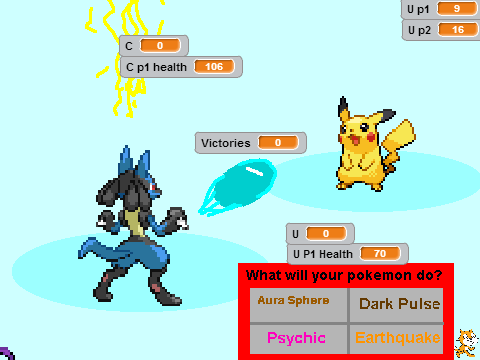
Pokemon Battle Test Scratch is a 2013 Scratch project: a battle prototype rather than a finished game. The name says what it is — a test build made to try out a fighting system with Pokémon sprites, published so other people could try it too.
That history matters when you play it. The scope is small, the rules are thin, and some systems stop where the author lost interest. What remains is a two-player fighting loop that loads instantly and works, which is more than most test projects manage.
How to play Pokemon Battle Test Scratch
Press Play, click inside the play area once to give it focus, then choose your fighter and start. The match is short by design — one clean exchange usually decides it, and the round resolves before you have time to overthink it.
The layout is built for two people at one keyboard. Player one uses the left side of the keyboard, player two uses the arrow keys and the letters around them. If you are on your own, drive both sides: it is a perfectly good way to see how the different fighters behave against each other.
Pokemon Battle Test Scratch controls
- Player 1 move — A and D
- Player 1 jump — W
- Player 1 close attack — C
- Player 1 special attack — X
- Player 2 move — left and right arrow keys
- Player 2 jump — up arrow
- Player 2 close attack — P
- Player 2 special attack — O
Mouse and touch handle menus and fighter selection. The fighting itself assumes a keyboard.
What it is good for
The short answer is a two-minute break and a second player. The longer answer is that it is a useful comparison point: play this, then play Pokémon Battle, and the difference between a 2013 test project and a modern scratch-built simulator is obvious in about thirty seconds. One is a proof of concept; the other is a rules engine with a roster built around roles.
It is also a reminder of how durable Scratch projects are. This was published in 2013 and it still runs in a browser today with no plugin and no install, which is more than can be said for most things published that year.
Troubleshooting
Blank play area is almost always a blocked third-party frame — allow frames for this page or try another browser. Keys that do nothing mean the frame does not have focus: click once inside it. If audio is missing, embedded players usually start muted and the tab itself may be muted.
Straight answers
Frequently asked questions
Is this an official Pokémon game?
No. It is a fan-made Scratch project from 2013, embedded here so it runs in the browser. It is not affiliated with Nintendo, Creatures or GAME FREAK.
How is it different from the other battle page?
This is the older build — a test project from 2013. [Pokémon Battle](/pokemon-battle) is the newer battle simulator with a 35-fighter roster and full rules. If you want a longer match, play that one; this is the short experiment.
The controls do not work.
Click once inside the play area first so the frame has focus, then use the keys. The layout is built for a keyboard, so a phone will need the on-screen controls.
Is there a single-player mode?
The project is built around a two-player key layout on one keyboard. In practice you can drive both sides yourself — it just takes two hands.
Is anything saved between sessions?
No. Reloading starts the project from the beginning.
Longer answers live on two pages: the PokéPath TD guide (coins, mid-wave evolution, controls, save backups) and Pokémon Tower Defense unblocked (why the game frame sometimes stays empty and what actually fixes it).
Player talk
No comments yet. Tell us your best route, your highest wave, or ask about a route you are stuck on.